Racna
Catch an error and hand it to your AI, with the steps that led to it, in one click.
A quiet Chrome and Edge extension that captures console errors, failed requests, and unhandled rejections on the sites you enable. Nothing leaves your browser.
See it work
The everyday loop in under half a minute.
An interactive playground of buttons that throw errors, fire failing requests, and flood the console. Enable Racna on the page once you are there.
Who it's for
Pick your role to see how Racna can help you.
Hand it to your AI in one click
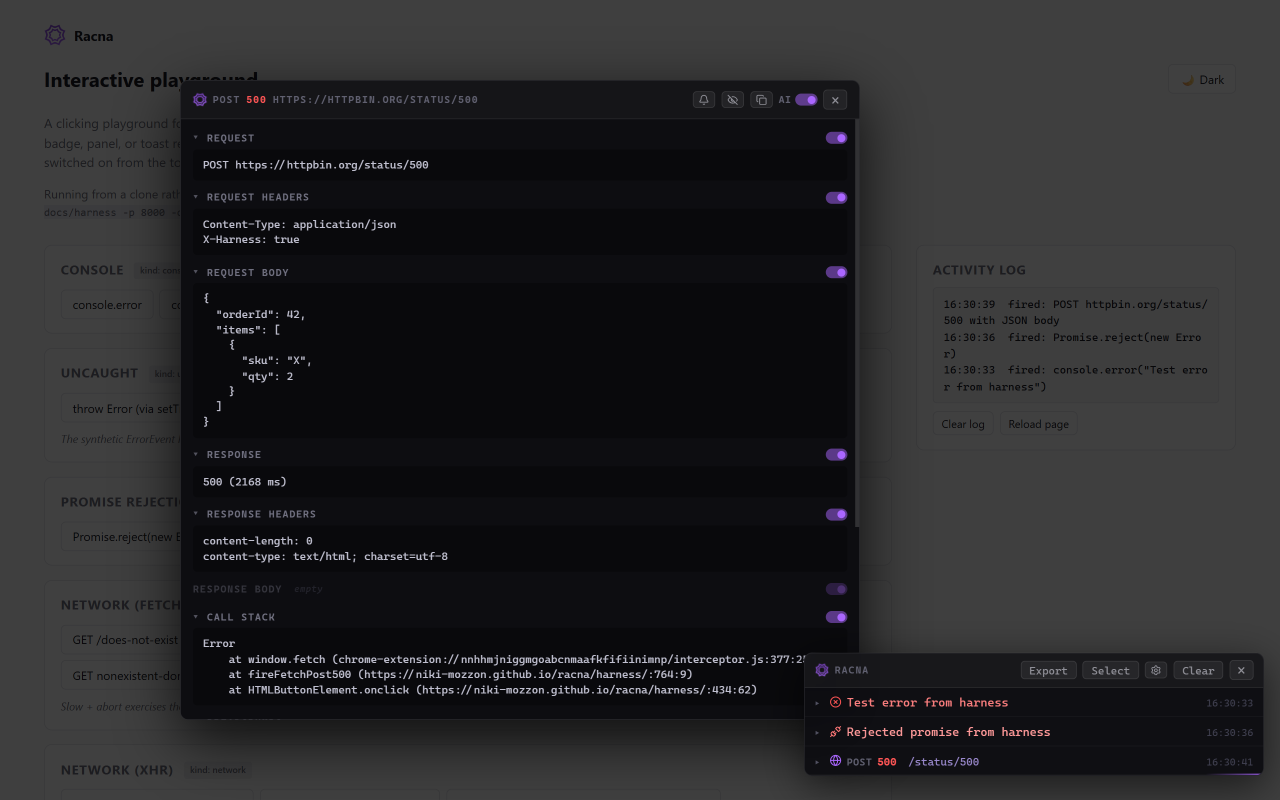
Copies the error AI-formatted, with the trail that led to it. Paste it straight into Claude or Cursor, error first and credential headers masked.
Failed requests, fully captured
fetch and XHR, with the request and response, headers, and body. Anything that fires calls from the page itself, so your API console works too.
Console errors and crashes
Warnings, uncaught exceptions, and unhandled rejections, the moment they fire.
The trail that led to it
A breadcrumb timeline of nav, clicks, logs, and HTTP, ending at the failure, so the cause is obvious. The AI flag is a built-in option: flip it to switch between plain Markdown and the AI-ready format.
Watch and ignore rules
Turn the patterns you care about into toasts, and mute known noise.
Export a whole session
Select a set of entries and export them together as Markdown, AI format included.
Stays in your browser
No telemetry, no server. Captured events live in the tab and vanish with it.
What it does
Something breaks, and normally you hit F12 and dig through the console while the app reflows into a thumbnail of itself. Racna just drops what broke into the corner, with the context around it, without you leaving the page.
- Catches console errors and warnings, uncaught exceptions, unhandled rejections, and failed fetch / XHR requests.
- Not a DevTools replacement. It covers the moment before you need deep inspection: a tab left running, a colleague's machine, a page that only breaks with the console closed.
- Stays in your browser. No telemetry, no server, nothing leaves the tab.
Nothing leaves your browser
Racna sends no telemetry and makes no network requests of its own. Captured events live in the tab's memory and disappear with it. Your rules and settings are stored in the browser's own sync storage, nowhere else. There is no server behind this extension. The full detail is in the privacy policy, and the source code is there to check.